Learn how to efficiently filter your contacts on FormDr. This guide will walk you through the steps to apply specific filters, helping you manage and find the contacts you need quickly.
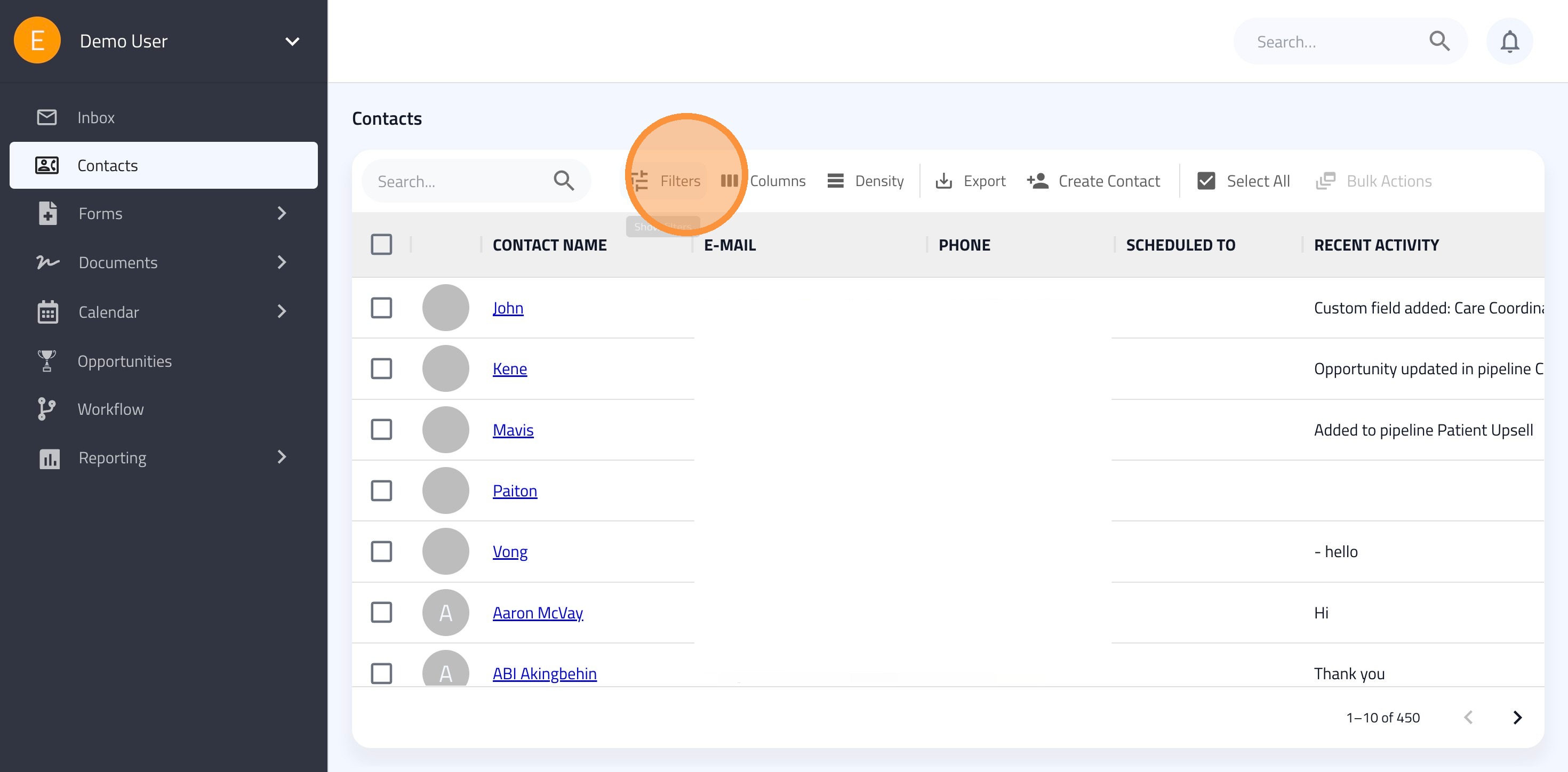
1. Click "Filters"
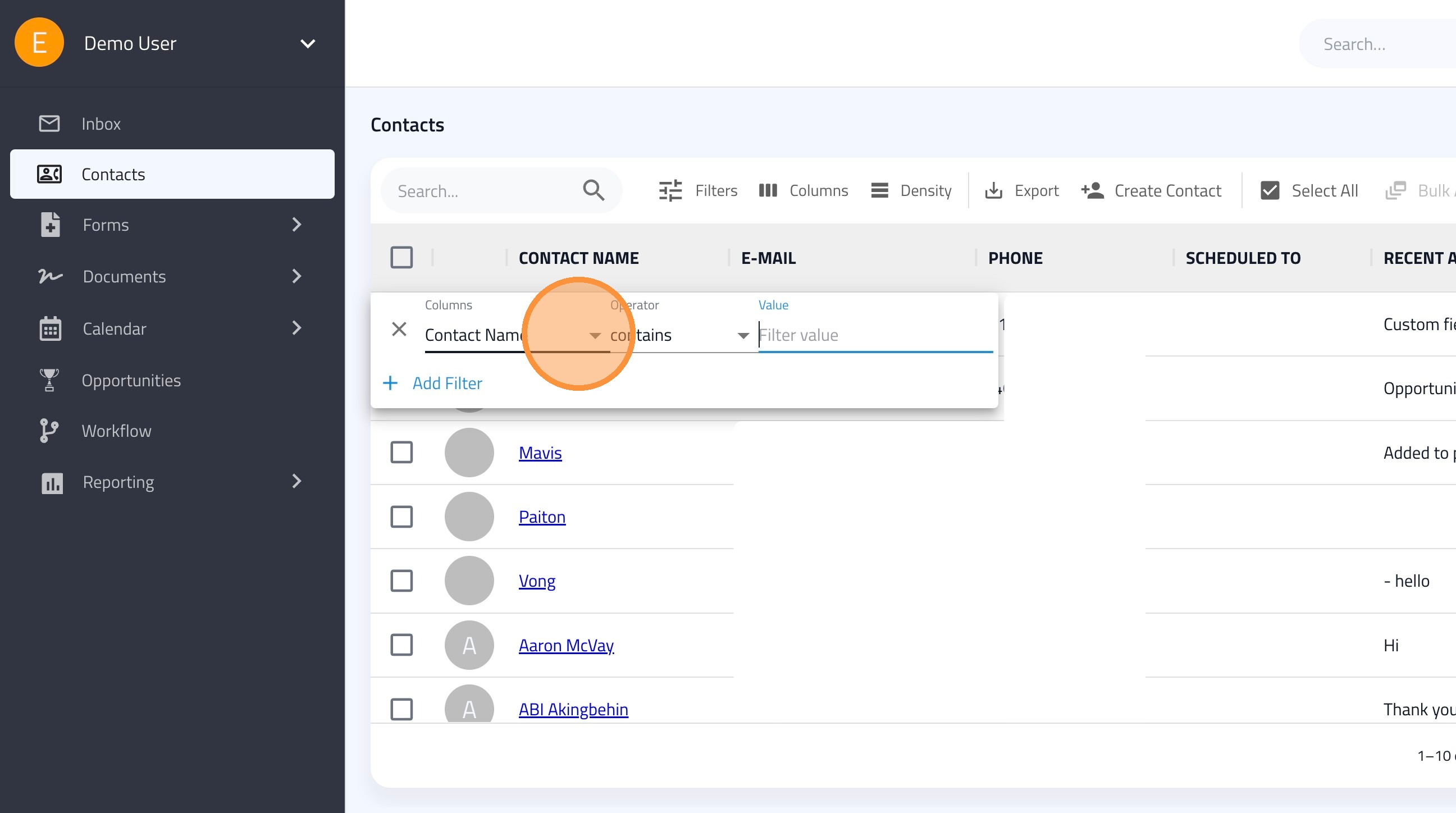
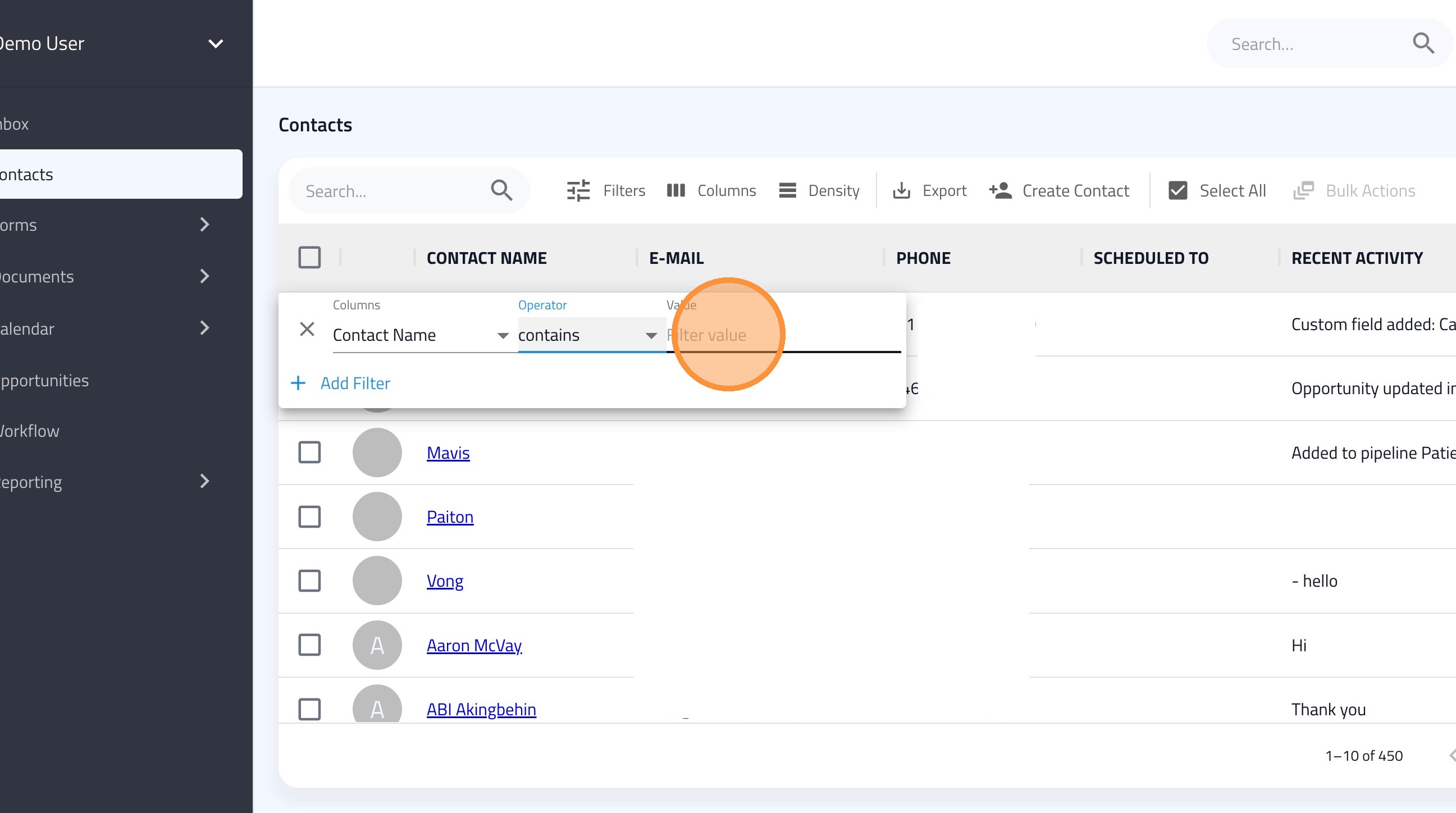
2. Use the Columns dropdown to select what you want to filter by, such as Contact Name, Email, Labels, or any Custom Fields you have created.
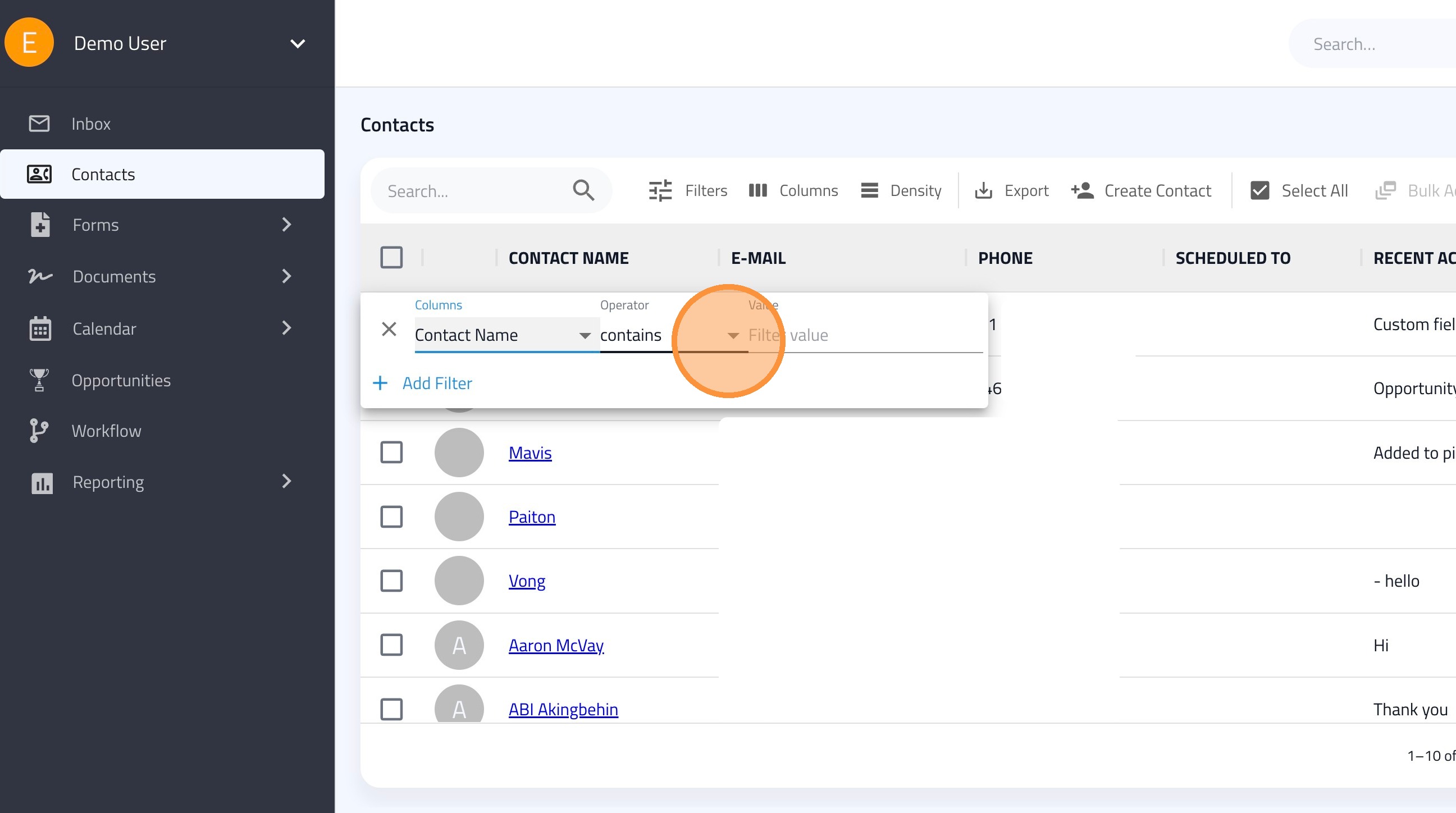
3. Select an Operator (e.g., "contains" or "is").
4. Type the specific information you are looking for in the Value field.
Advanced Logic and Multiple Filters
5. Click "Add Filter" to add additional filters.
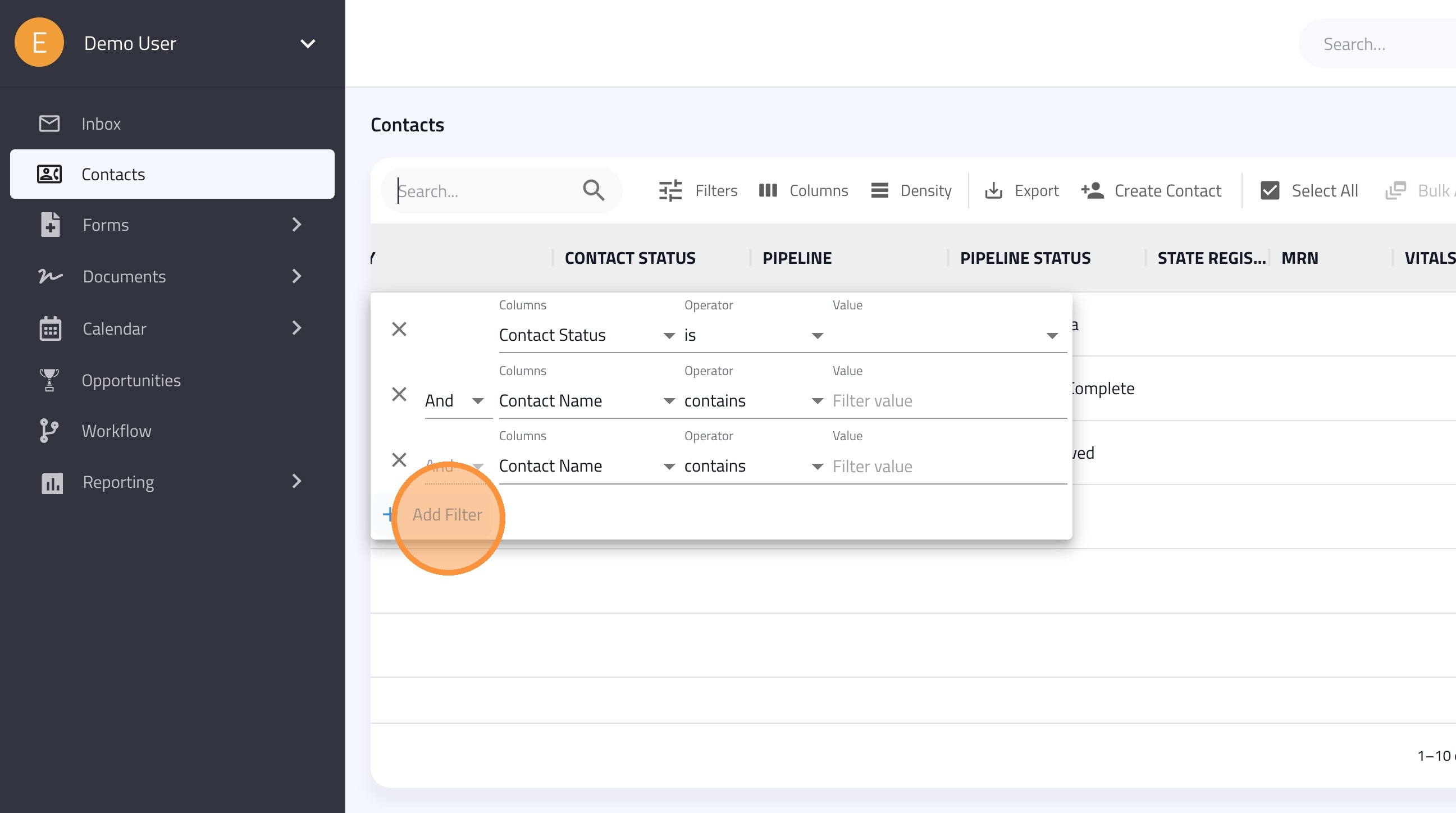
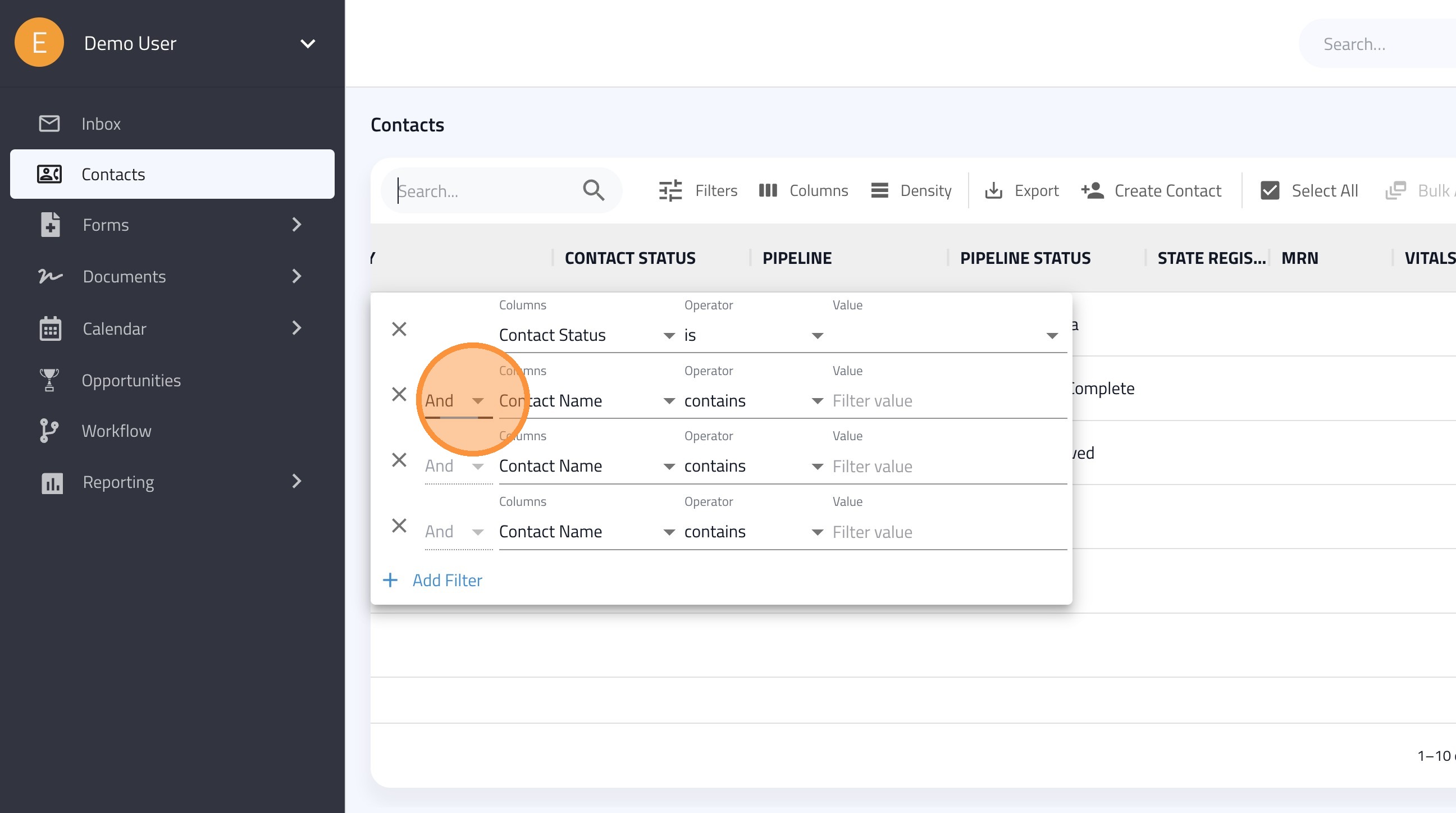
6. And Logic: Use the "And" option when you want to find contacts that meet all specified criteria simultaneously.
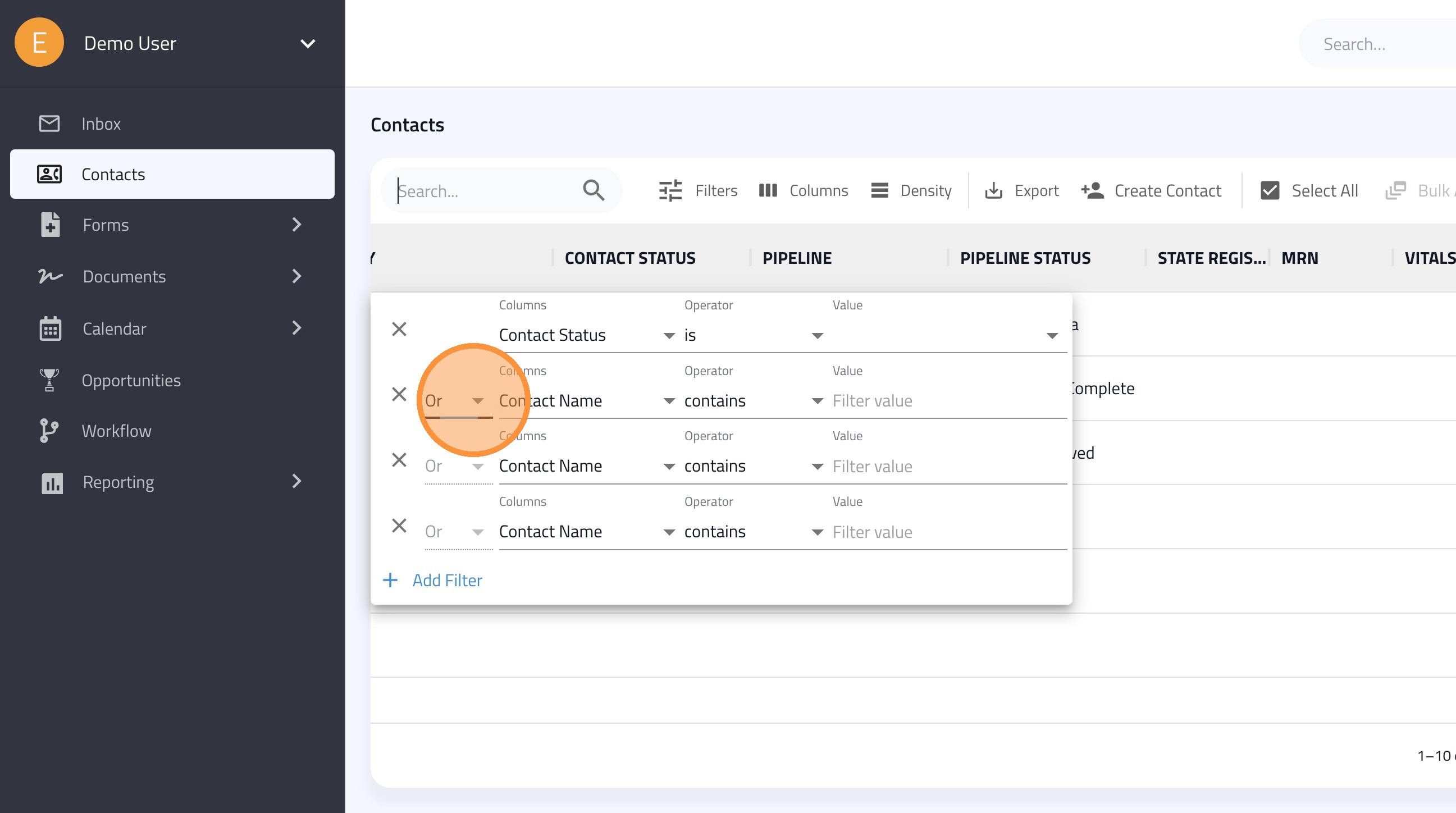
7. Or Logic: Change the logic to "Or" if you want to find contacts that meet any one of the specified criteria.
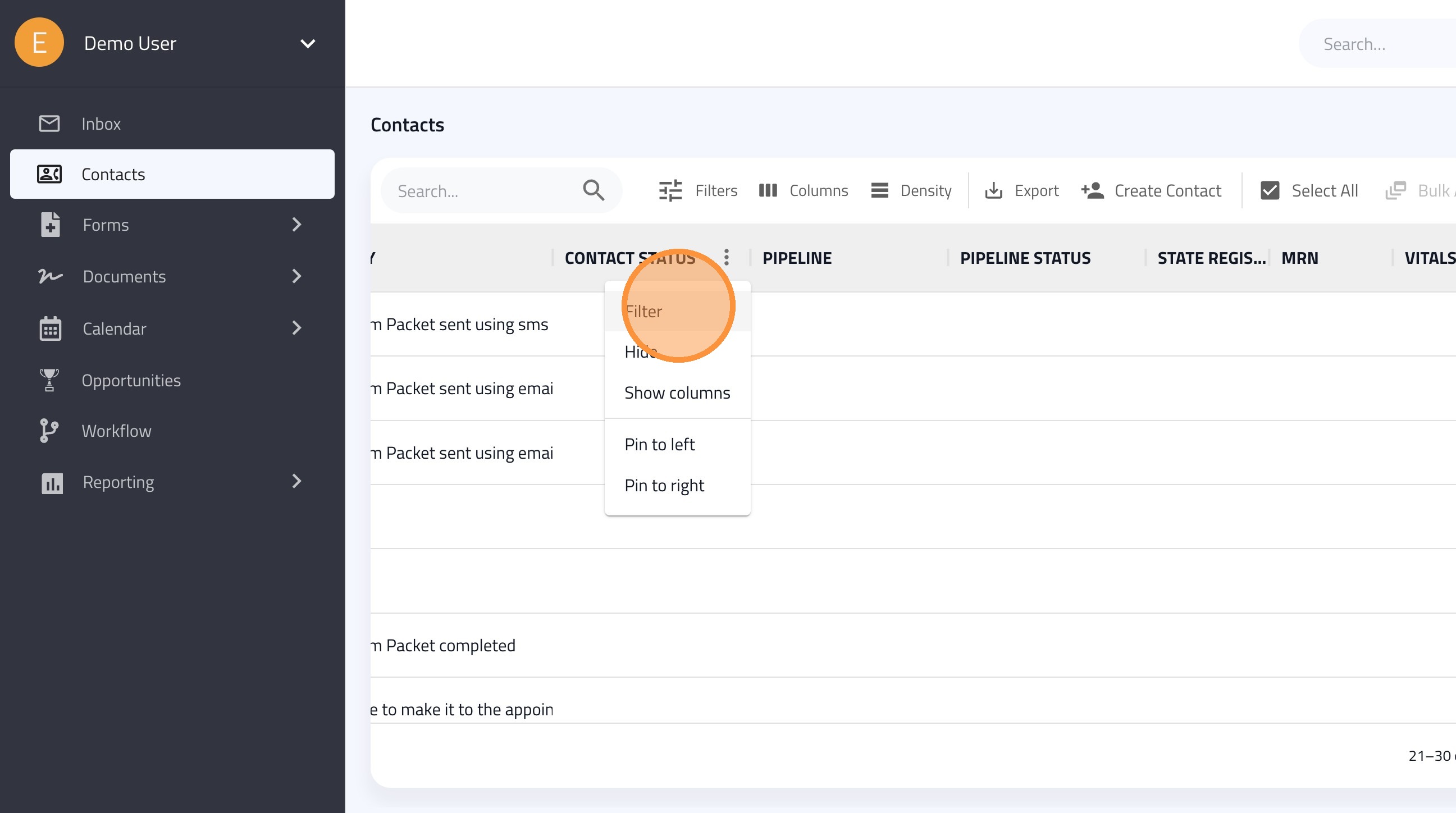
8. You can also filter by clicking the three vertical dots (ellipsis) icon next to the column name.
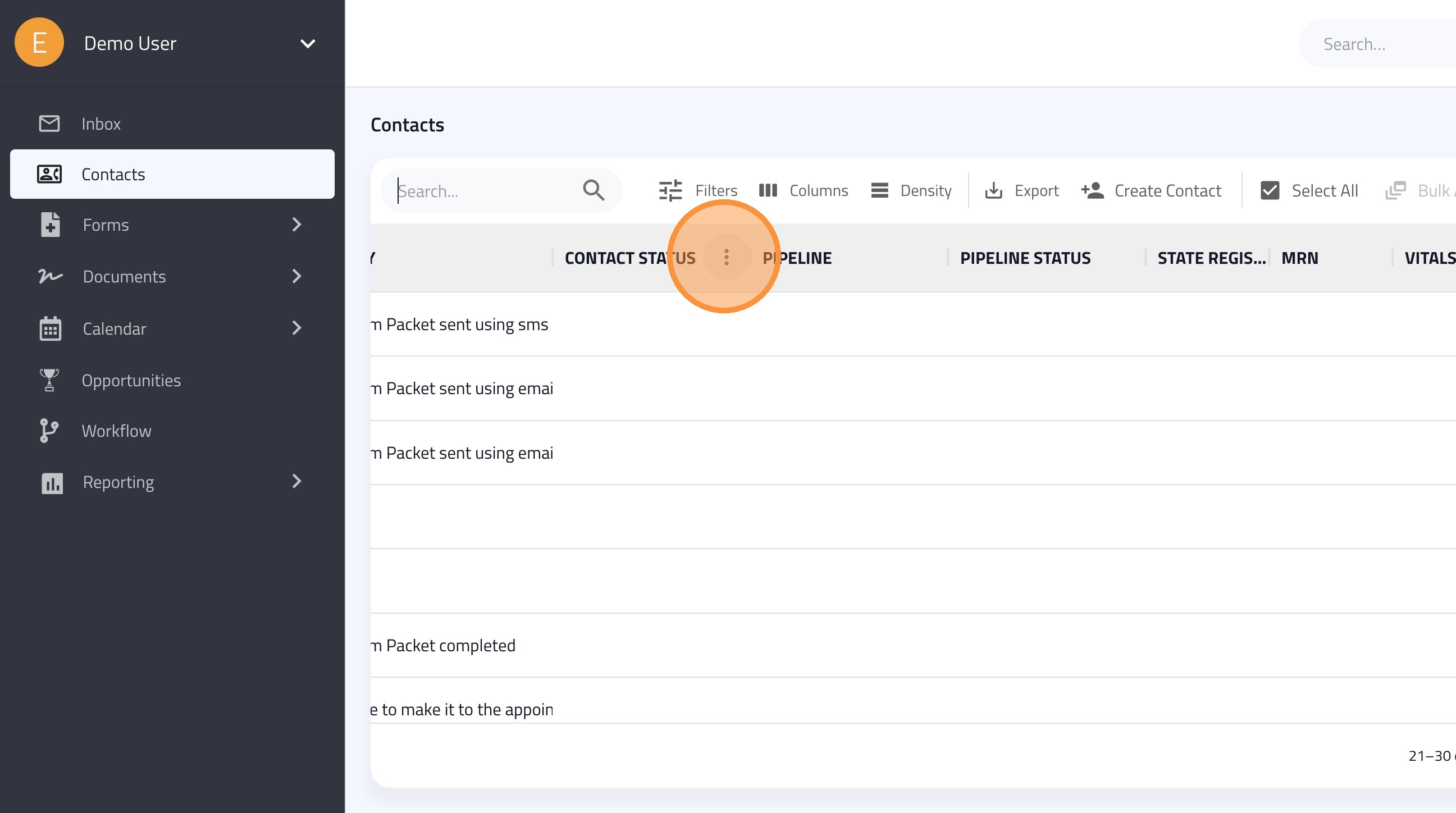
9. Select Filter from the dropdown menu to open the filter settings for that specific column.