
This guide walks you through acquiring a FormDr phone number and completing the mandatory Campaign Registration. This essential setup verifies your practice with mobile carriers, protecting your reputation and ensuring your patient texts actually reach their destination. Click here to learn more about How Phone Number Registration and Compliance Works.
- Step 1: Business Information
- Step 2: Carrier Registration
- Step 3: Activation and Testing
Step 1: Business Information (Start Phone Number Setup)
1. Navigate to your My Account settings by clicking the downward chevron next to your name, then select Campaign Registration.
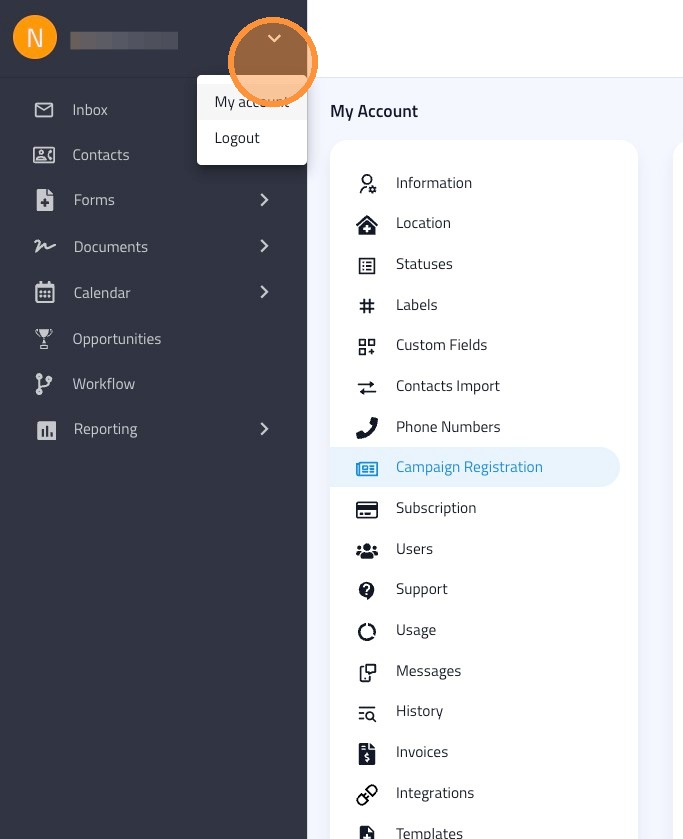
2. Click Start Phone Number Setup to begin the process.
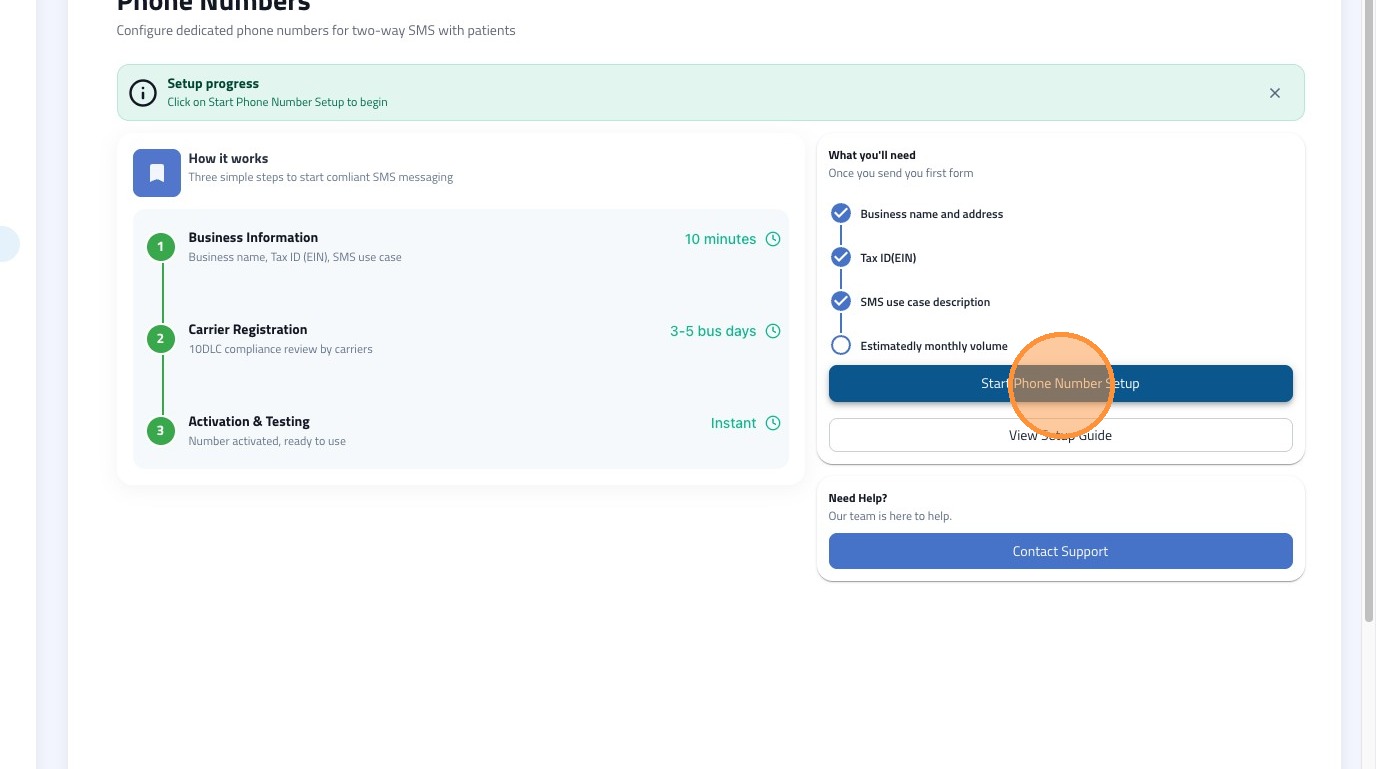
3. Enter your required business information into the form (see requirements below) and click Send.
Field |
Details & Examples |
EIN Number |
Your Employer Identification Number |
Display Name |
Brand Name or dBA |
Company Name |
Your Legal Company Name |
Vertical |
e.g., Healthcare |
Business Email |
Your primary practice email |
Business Contact Number |
Must be in this exact format: +12223334444 |
Website |
Your practice's web address |
Full Business Address |
Your complete physical address |
Type of Organization |
e.g., Private Profit |
Step 2: Carrier Registration (Create your first campaign)
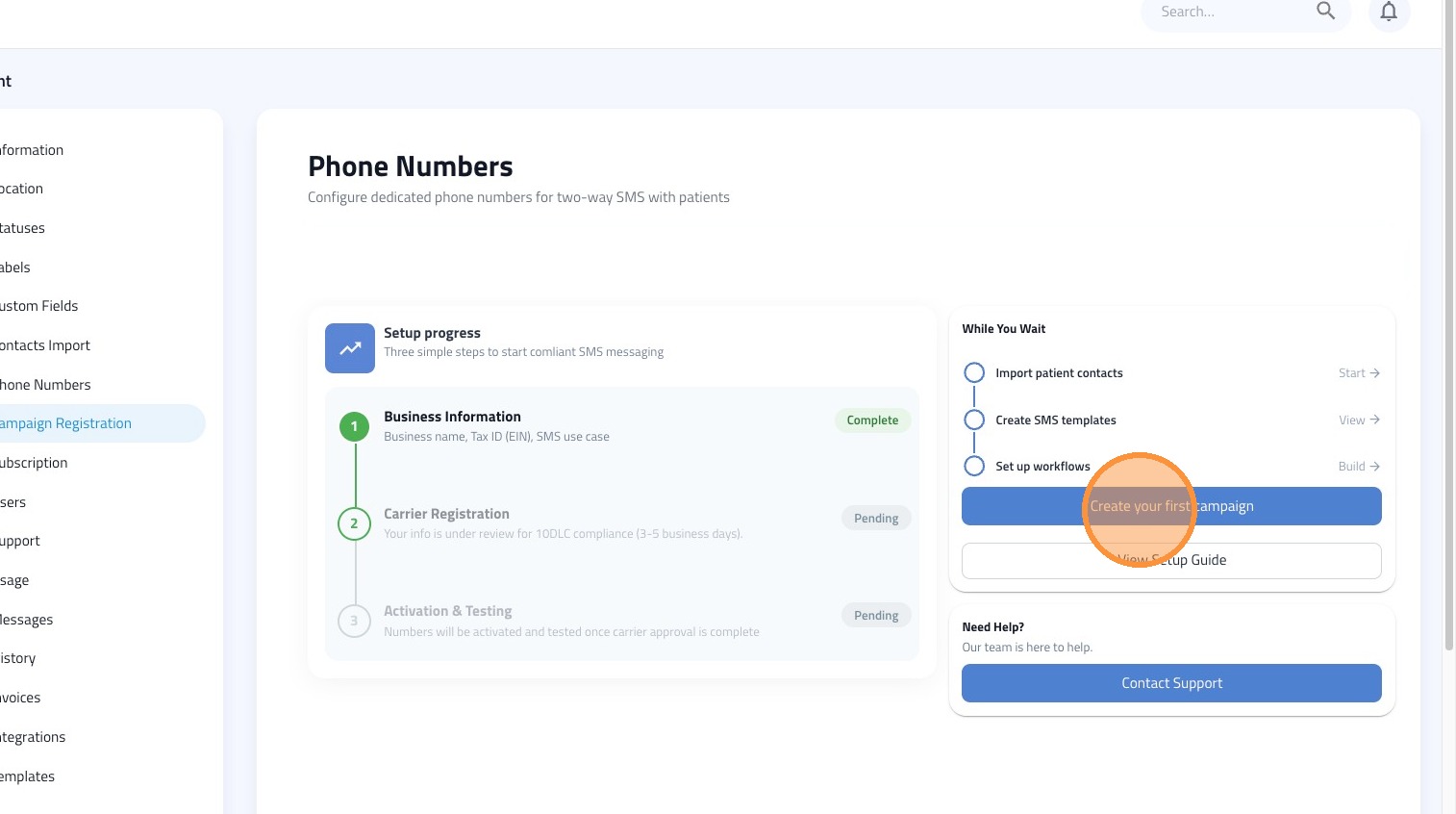
4. Wait for the status of the 'Business Information' step to change to Complete. (Tip: Refresh your page after 1 minute if it hasn't updated).
5. Click "Create your first campaign."
Note: The Carrier Registration process requires external approval and typically takes 3-5 business days to complete. Please check back in 3-5 business days.
Step 3: Activation and Testing (Add your first phone number)
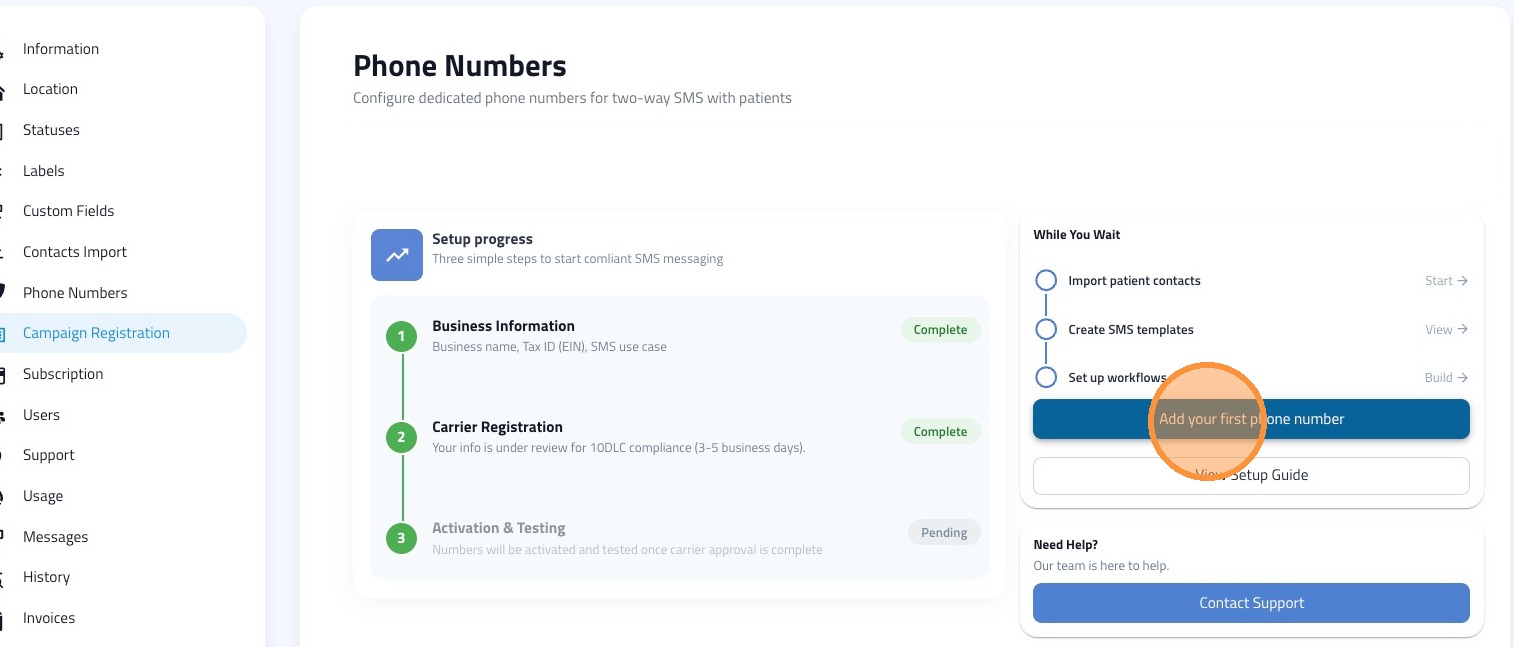
6. Once your carrier registration is complete, click "Add your first phone number."
7. Wait 1-2 minutes for the 'Activation & Testing' status to change to Complete.
Next Steps: Once your number is fully activated, send a test text message to a staff member's mobile device to ensure the routing is fully operational!