This guide shows how to monitor document status in the FormDr app so you can quickly spot which items are pending, remind recipients, and confirm completed submissions.
1. Navigate to https://dev-app.formdr.com/submissions/documentsand Click "Documents"
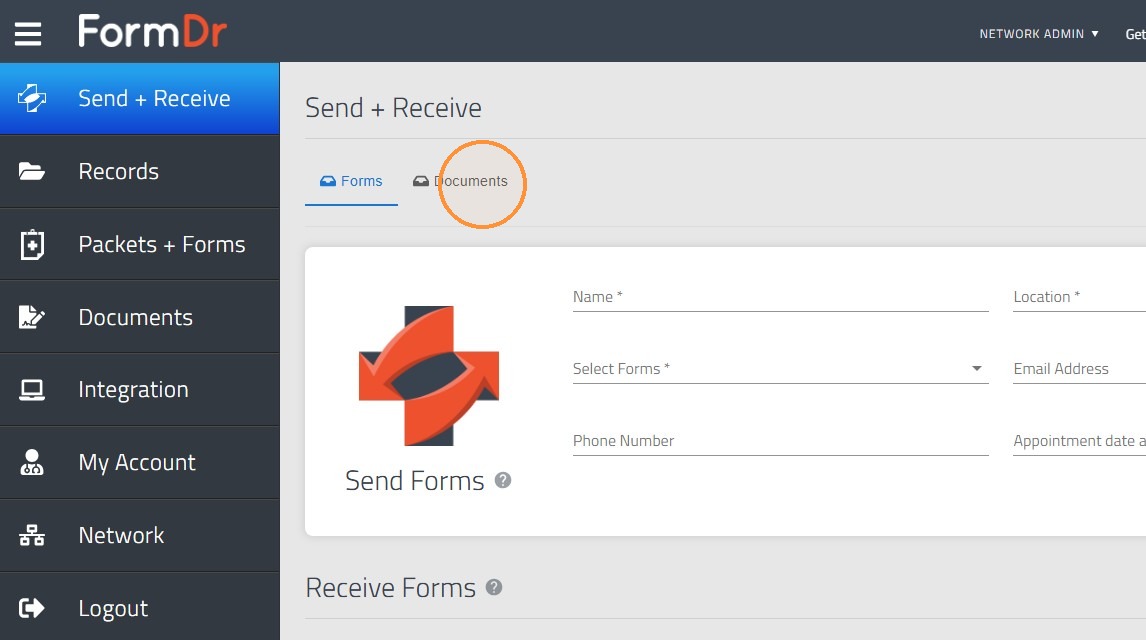
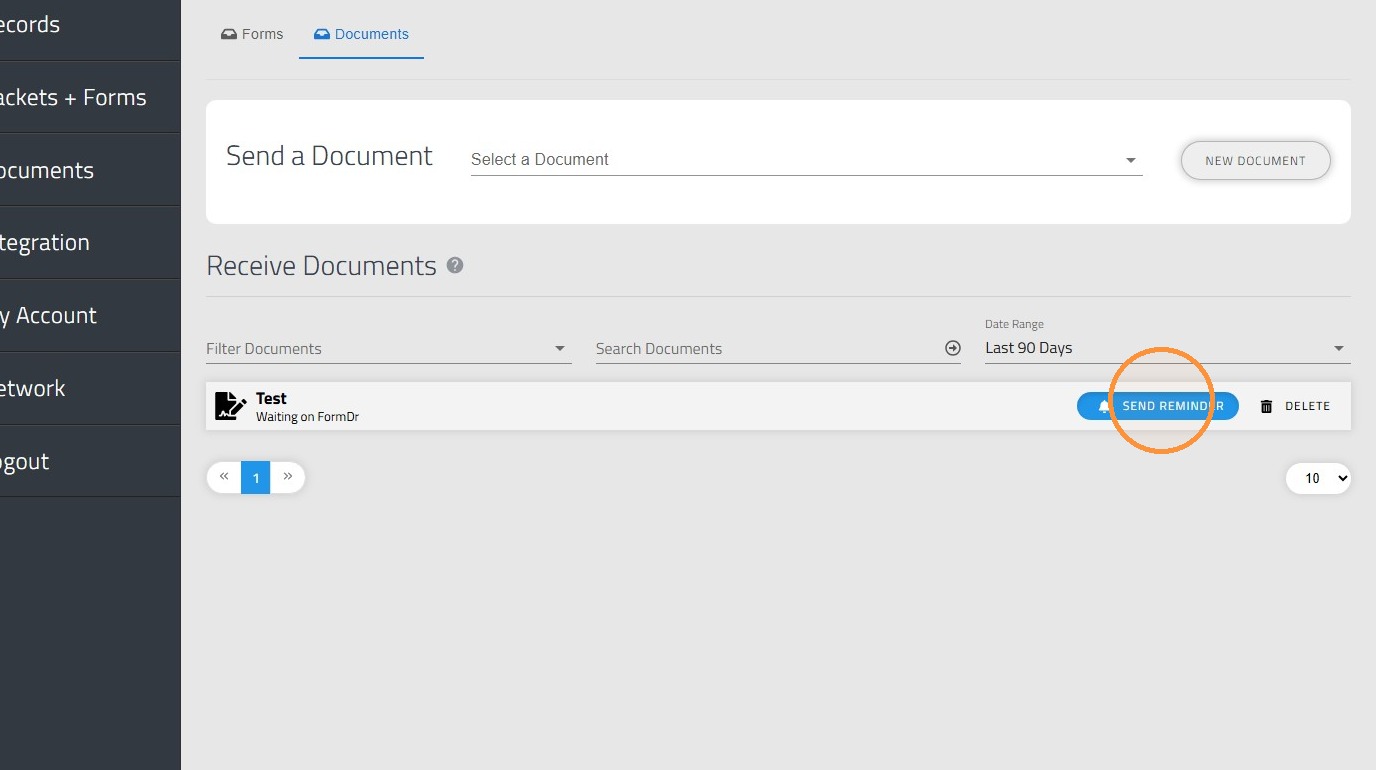
2. In the documents tab you will be able to see the Documents you sent to any recipient.
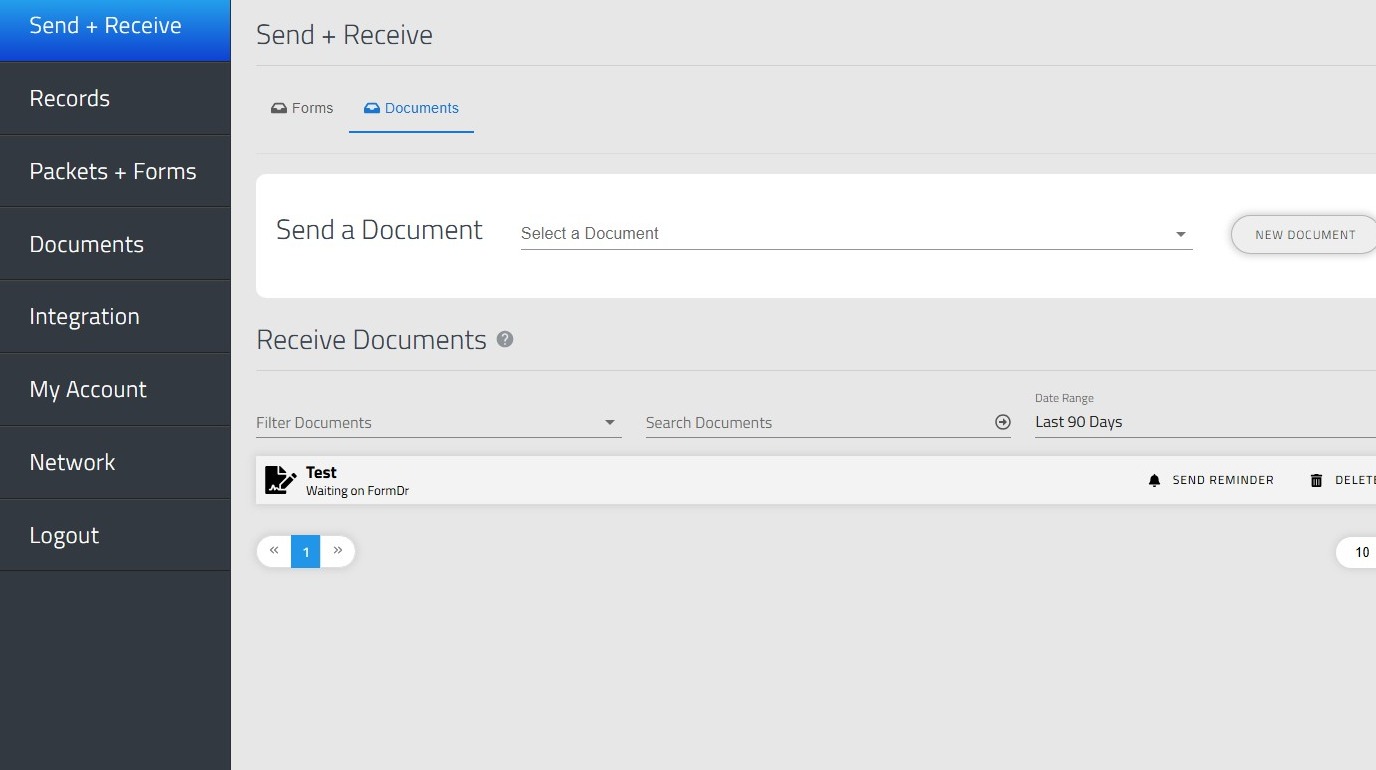
3. When a document is not signed or filled out yet, you will see it highlighted in a light gray color.
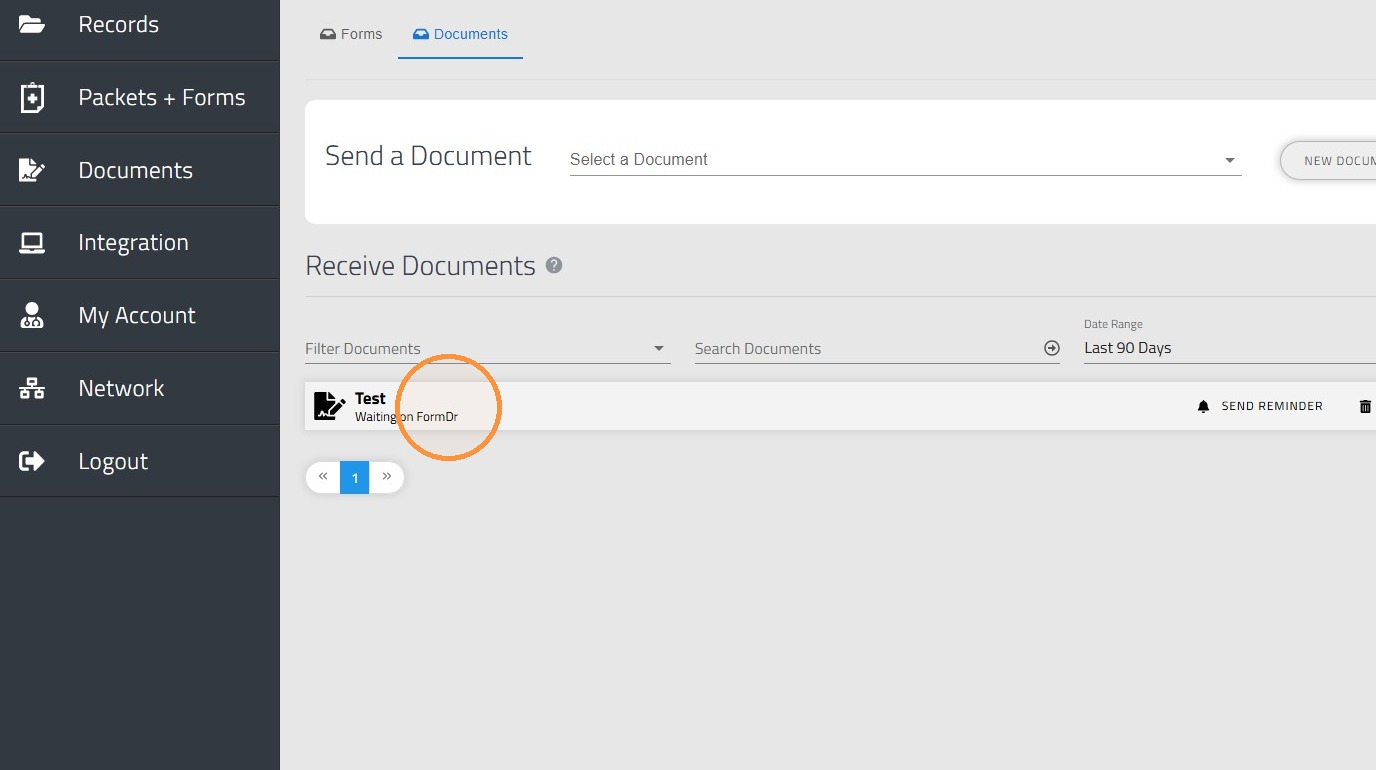
4. In case the recipient has not signed or filled out the document, you will have the option to click "SEND REMINDER" in order to send a reminder to them and ensure the document is completed.
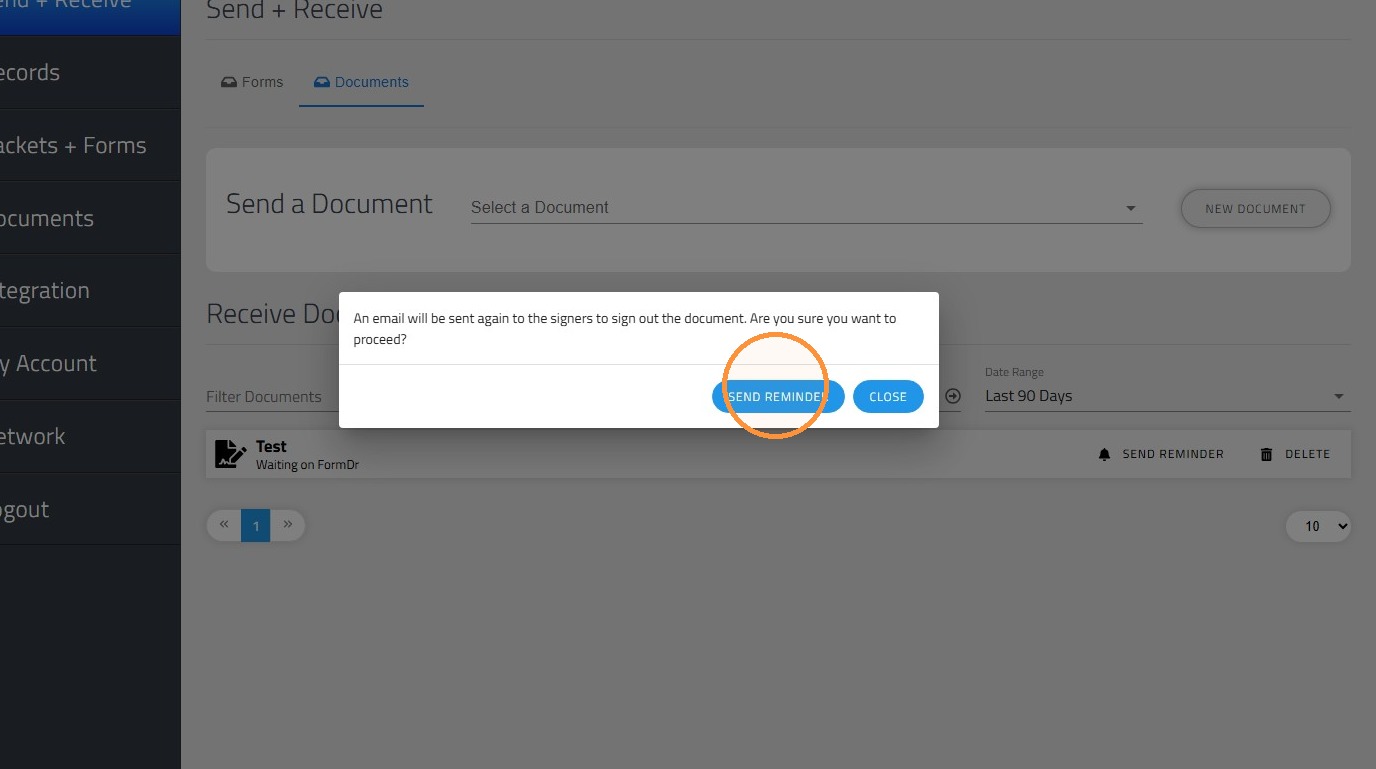
5. One last confirmation and the reminder will be sent to the recipient.
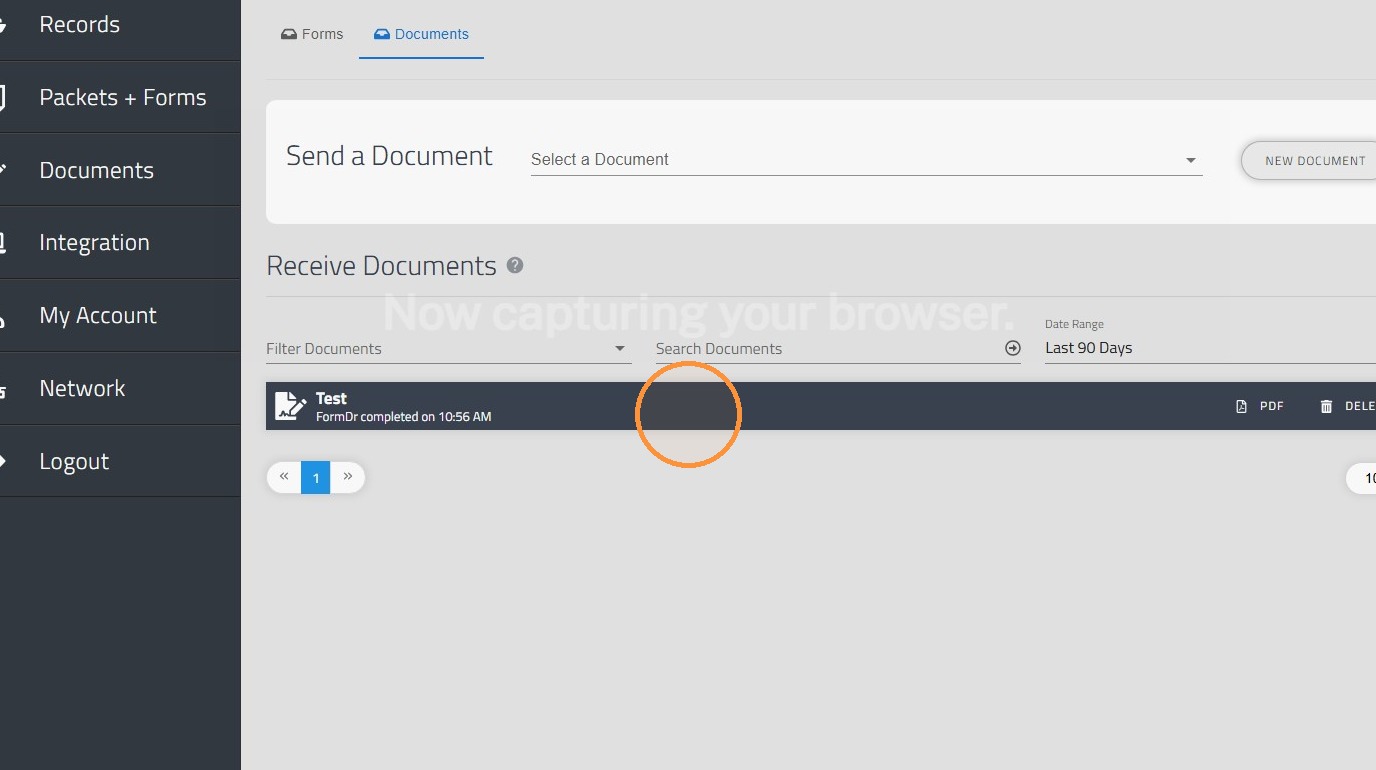
6. Finally, once the document is filled out or completed, the label will turn dark blue, and you will be able to open the document and see the submission (depending on your user permissions).